Markdown for Technical Writers: The Missing Manual (2026)
If you are a technical writer in 2026, your job has changed. Ten years ago, you might have spent your days in Adobe FrameMaker, MadCap Flare, or Microsoft Word. You were a publisher. You owned the "files."
Today, you are likely embedded in an engineering team. You are committing to Git. You are reviewing Pull Requests. You are debugging build pipelines.
The tool that enabled this shift? Markdown.
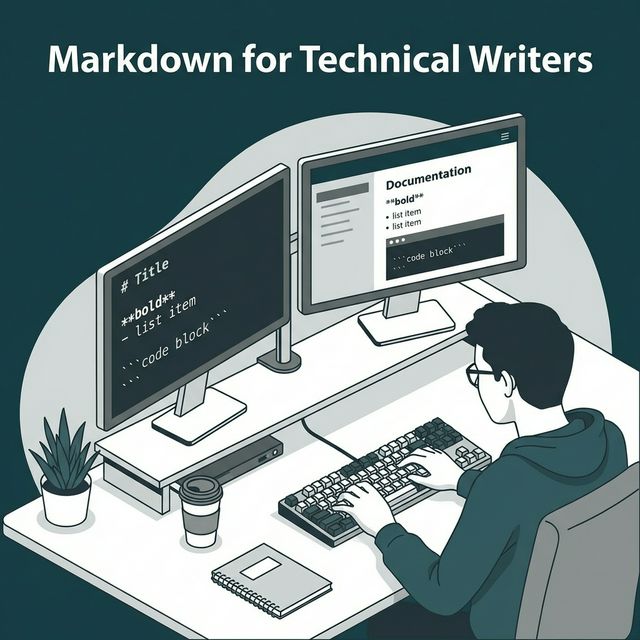
Markdown is the bridge between the human language of technical writing and the machine language of software development. It allows writers to work where the developers work (in the code), while still producing beautiful, structured output.
But most technical writers only scratch the surface of what Markdown can do. They treat it like a simplified HTML. In this guide, we are going to explore Markdown as a platform for technical communication. We will look at how to structure massive documentation sites, how to automate style checks, and how to create diagrams that don't rot.
Part 1: The "Docs as Code" Mindset
Before we talk about syntax, we need to talk about philosophy. "Docs as Code" means applying software engineering practices to documentation.
- Source Control: Docs live in Git repositories, not on a shared drive.
- Automated Testing: Docs are linted for broken links and style violations on every commit.
- Release Cadence: Docs are deployed automatically when the code is deployed (CI/CD).
For a writer, this is liberating. It means you can't "break" the production site by uploading a bad file. The build pipeline will catch your error. It means you have a complete history of every change ever made to a sentence. It means you can use branching to write documentation for "version 2.0" of a product while "version 1.0" is still live.
Part 2: Structuring Large Projects
Writing a single README is easy. Writing documentation for a cloud platform with 500 API endpoints is hard. For API-specific documentation, our API documentation guide covers the exact structure, tables, and code block patterns you need.
When using Markdown for large projects, file organization is critical. Avoid a flat structure.
The Modular Approach
Don't write 5,000-word files. Break concepts down into "atomic units" of information. A concept (what is authentication?) should be separate from a task (how to log in) which should be separate from a reference (the login API endpoint).
docs/
├── concepts/
│   ├── auth.md
│   └── billing.md
├── threads/
│   ├── login-flow.md
│   └── payment-flow.md
└── reference/
    ├── api-v1.md
    └── errors.md
This structure (often formalized as Diátaxis) makes your documentation consistent and navigable. Markdown's relative linking capabilities make it easy to connect these files.
Part 3: Advanced Tables and Data
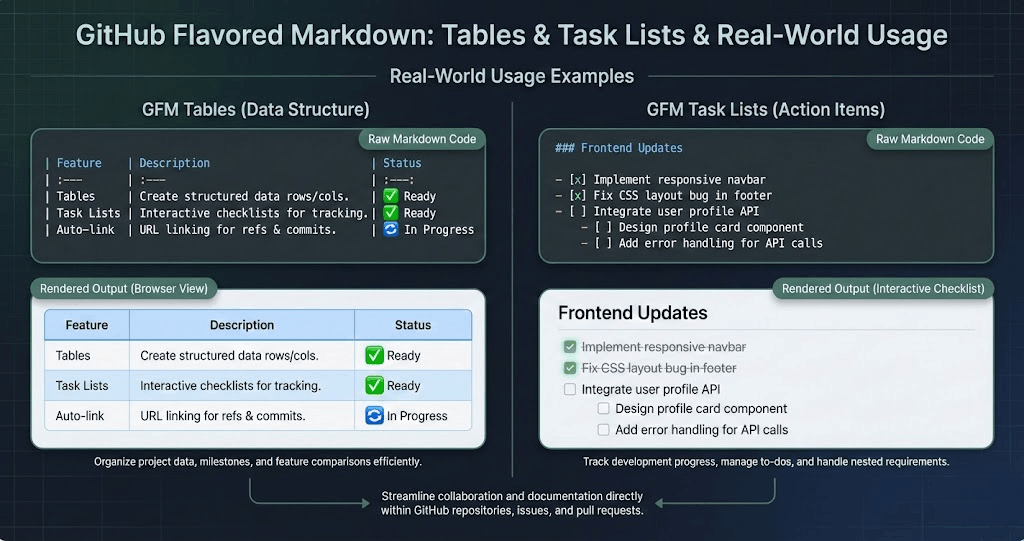
Standard Markdown tables are painful. They are hard to read in the source code and hard to align.
| ID | Name | Description |
| -- | ---- | ----------- |
| 1  | User | The user... |
For complex data, consider using HTML Tables inside your Markdown. Or, better yet, use a Static Site Generator (SSG) that supports data files.
In Hugo or Jekyll, you can store your data in a YAML or JSON file:
# data/users.yaml
- id: 1
  name: User
  desc: The user entity...
And then loop through it in your Markdown template. This keeps your content clean and your data structured. It effectively turns your documentation into a CMS.
Part 4: Diagramming for Writers
The bane of every technical writer's existence is the "outdated screenshot." You take a screenshot of the settings menu. Two weeks later, the UI team changes the button color. Your screenshot is now a lie.
Or you draw a flowchart in Visio. The logic changes. You have to find the original Visio file (which you lost), edit it, export it, and re-upload it.
Mermaid.js solves this. You define diagrams in text, right inside your Markdown.
graph LR
    A[User] -- clicks --> B(Login)
    B -- verifies --> C{Database}
    C --|Success|--> D[Dashboard]
    C --|Fail|--> E[Error Page]
When the logic changes, you edit the text. The diagram updates instantly. It is version controlled. It is searchable. It is accessible.
Part 5: Automated Style Guides (Vale)
Maintaining a consistent "voice" across a team of 50 writers and 200 engineers is impossible manually. "Do we use 'sign in' or 'log in'? Do we capitalize 'API'? Do we use the Oxford Comma?"
Vale is a linter for prose. You write rules in YAML files:
extends: substitution
message: "Use 'sign in' instead of 'log in'"
level: error
ignorecase: true
swap:
  "log in": "sign in"
When a developer tries to commit a file with "log in," Vale blocks the commit (or warns them). This ensures that your style guide is living code, not a PDF that nobody reads.
Part 6: Single Sourcing and Reuse
A holy grail of technical writing is "Write Once, Publish Everywhere." You have a "Warning" block that needs to appear in the Installation Guide, the Quick Start, and the API Reference.
In standard Markdown, you have to copy-paste. If the warning changes, you have to find all 3 copies.
Modern Markdown processors (like MDX or specific SSG plugins) allow for Transclusion (includes).
# Installation

import Warning from './_snippets/warning.md'

<Warning />
This allows you to build a library of reusable content snippets. It reduces maintenance burden drastically.
Part 7: From Markdown to PDF (Again)
Yes, we are back to PDFs. Even in a "Docs as Code" world, enterprise customers want a PDF manual. They want to print it and put it in a binder (or archive it for compliance).
Using tools like Pandoc or our own Text To PDF Pro, you can transform your documentation repository into a single book.
This requires careful metadata management. You need a "Table of Contents" file that tells the generator which specific Markdown files to include and in what order. You need CSS to ensure that your carefully crafted Mermaid diagrams render correctly on paper.
Part 8: FAQ for Technical Writers
As the role of "Technical Writer" evolves into "Documentation Engineer," these are the questions I hear most often.
Q1: Do I need to learn to code to use Markdown?
Answer: You don't need to be a software engineer, but you pass a barrier where being comfortable with a terminal and Git is mandatory. Markdown itself is not "code," it's markup. But the workflow (Git, CI/CD, Linters) is a developer workflow. Embrace it. It makes you cleaner and faster.
Q2: Can I just use a converter to turn my Word docs into Markdown?
Answer: Tools like `pandoc` can do this (`pandoc file.docx -o file.md`), but the result is usually messy. It will leave a lot of garbage HTML tags and weird spacing. I recommend converting one file as a test, but generally, a manual cleanup is required. Treat it as a migration project.
Q3: How do I handle versioning?
Answer: In the old days, you had `Manual_v1.pdf` and `Manual_v2.pdf`. In Markdown/Git, you use Git Branches. You write on a branch `docs/v2`. When v2 is released, you merge that branch into `main`. Most static site generators also support "versioned docs" dropdowns by keeping separate folders for `v1.0` and `v2.0`.
Q4: What is the best editor for Markdown?
Answer: VS Code (Visual Studio Code) is the industry standard. It has the best ecosystem of plugins (Markdown All in One, Paste Image, Vale, Prettier). If you want a dedicated writer's tool, Obsidian is excellent for knowledge management, and Typora provides a seamless WYSIWYG experience.
Q5: How do I manage large tables?
Answer: Don't write them by hand. Use a plugin like "Markdown Table Prettifier" to format them automatically. If the table is huge (like 50 rows), stick it in a CSV file and use a shortcode to import it, or an HTML table. Maintaining a giant ASCII table is a nightmare.
Q6: Can I include video?
Answer: Standard Markdown doesn't have a video tag. You have to use HTML: `<video src="..." controls></video>` or `<iframe>` for YouTube/Loom. Be careful with file sizes; don't commit 500MB video files to your Git repo. Host them on YouTube or S3 and embed them.
Q7: How do I collaborate with non-technical SMEs?
Answer: This is the hardest part. Engineers love Markdown. Salespeople hate it. For Subject Matter Experts (SMEs) who refuse to touch Git, you might need a CMS layer like Forestry.io, Netlify CMS, or specialized tools like GitBook that provide a visual editor on top of your Markdown files.
Q8: GFM vs CommonMark?
Answer: Stick to GFM (GitHub Flavored Markdown). It supports tables and task lists, which are essential for technical docs. CommonMark is too restrictive.
Q9: What about localization (Translations)?
Answer: This is where Markdown shines. Because it is plain text, you can send the files to translation agencies easily. Most SSGs (like Docusaurus) have i18n support built-in: you have a folder `i18n/fr/` which mirrors your main structure. The build tool swaps the strings automatically.
Q10: Is this "Docs as Code" trend just a fad?
Answer: No. Software is eating the world, and software developers are building the tools. Proprietary documentation silos (like HelpHelp) are dying because they don't integrate with the CI/CD pipeline. The future is text-based, version-controlled, and automated.
Conclusion
Markdown is not just "easy HTML." It is a powerful, flexible, open standard for knowledge management.
By treating your documentation as a software product—with version control, testing, modularity, and compilation—you elevate the quality of your work. You stop being a "writer" who "fixes commas" and become a "Documentation Engineer" who architects knowledge systems.
Embrace the backtick. Embrace the git commit. The future of technical writing is plain text.