Docs-as-Code Explained for Developers (Complete Guide 2026)
Let's be completely honest for one second: If there is one specific thing that makes developers groan louder than a flaky test suite, it is being asked to update the documentation.
For years, the typical workflow was to spend several days writing a brilliant, elegant feature in your favorite IDE. You submit your code, clear the review, and merge it. Then, just when you are about to pop the champagne, someone reminds you that you need to update the company wiki page. You have to open a separate browser tab, log into an outdated enterprise content management system, fight with a terrible rich-text editor, and try to recall how exactly your API changes work.
Because of this friction, documentation is usually pushed to the back burner. The documentation is delayed, stale, and ultimately, trusted by no one.
Docs-as-code is the industry's solution to that exact frustration. It stops viewing documentation as a side nuisance and starts viewing it exactly like the thing you're already building: software itself. By aligning the documentation process to the software development lifecycle, you remove the friction.
This guide will provide a clear explanation of what docs-as-code means in 2026, its benefits, and how it can be applied to your own projects. If you're new to Markdown—the language at the heart of this workflow—you may want to brush up on the basics first. And if you are specifically looking to document APIs, our guide to writing API documentation with Markdown covers that in detail.

What Exactly is Docs-as-Code?
The primary principle of docs-as-code states that documentation should be created, assessed, verified, and published through the same methods which developers use to handle their source code. All documentation remains accessible to users because it exists as plain text files next to their codebase, instead of being stored in a hidden database that requires access to a proprietary wiki system. The implementation of docs-as-code requires teams to accept these fundamental principles:
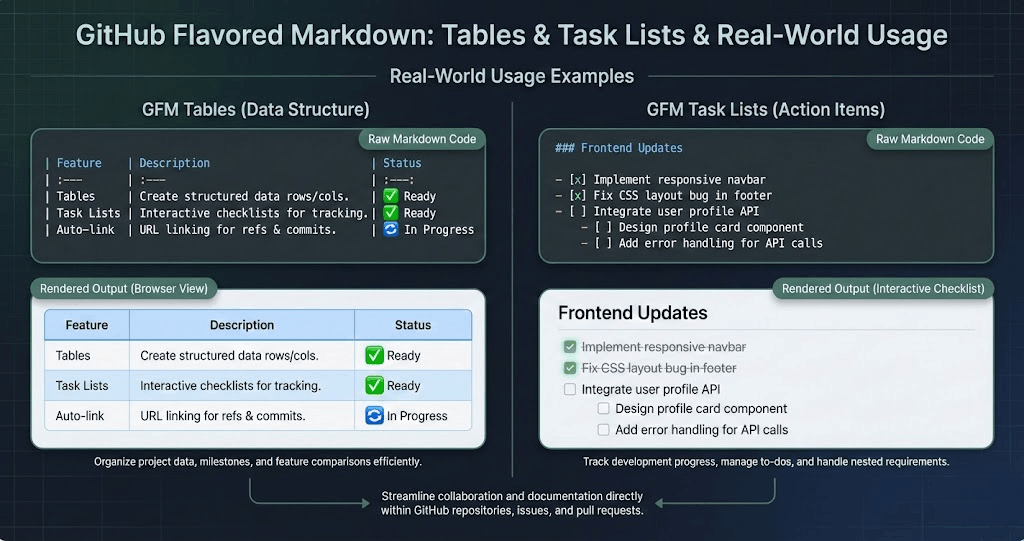
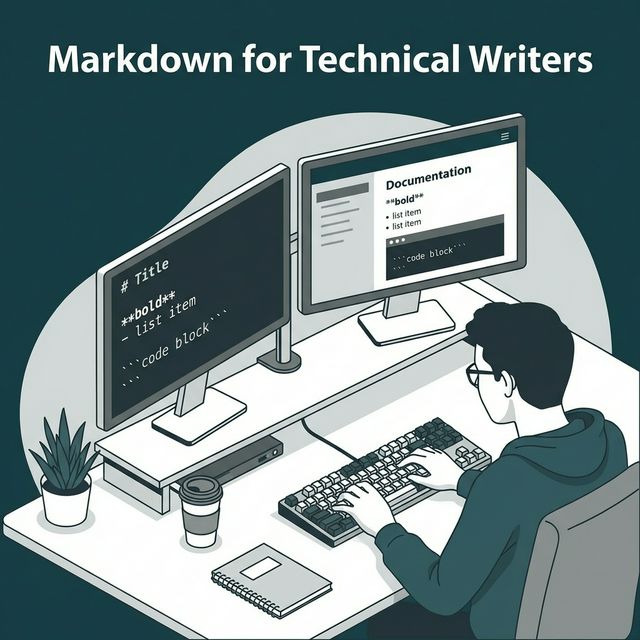
- Documentation is written in plain text markup. Usually Markdown, MDX, or AsciiDoc. You write it in VS Code, IntelliJ, or whatever editor you already use.
- Documentation lives in version control. It sits in a Git repository. It might be in the same repository as the code it describes (a monorepo setup) or a dedicated docs repository.
- Documentation goes through Pull Requests (PRs). You don't just hit "Publish" and hope for the best. Docs are branched, committed, and reviewed by peers just like a feature update.
- Documentation is tested and built automatically. Continuous Integration (CI) pipelines check the docs for broken links, linting errors, and formatting issues before building a static site to host them.
The Big Shift: You aren't forcing developers to become technical writers; you are bringing the writing process into an environment where developers already feel comfortable, in control, and productive.
Why Developers Actually Like This Approach
Docs-as-code has become the norm for open-source projects and contemporary engineering teams for a few very practical reasons. It's uncommon to find a workflow change that developers truly embrace, but this one sticks.
1. Zero Context Switching
The enemy of deep work is context switching. You don't need to exit your IDE when your documentation is located in the /docs folder, which is adjacent to the /src folder. Your screen can be divided so that the documentation is on the right and the code is on the left. You can instantly update the associated Markdown file when you change a function's parameters. Rather than being a distinct administrative task, it seems like a logical progression of writing code.
2. Coordinated Versioning
Have you ever come across documentation that was written for a software version that was released two years ago? This is resolved by docs-as-code. The documents are versioned with the software because they are stored in Git. The documentation is exactly as it was when v2.4 was released if you look at the v2.4 branch of your code.
3. Accountability is Enforced by PRs
When documentation is included in the code review procedure, it is included in the "Definition of Done." The reviewer has the authority to block a developer's PR if it modifies an API endpoint entirely without affecting the documentation files. It compels teams to view documentation as an integral part of the software delivery process. This discipline naturally reduces the common documentation mistakes that plague most projects.
4. Total Control Over Presentation
Because docs-as-code relies on generating static sites from text files, you own the presentation layer. You aren't stuck with the rigid, unchangeable theme of a corporate wiki. You can add dark mode, custom interactive components, and specialized search tools exactly how you want them. If you need your documentation to look polished on paper too, you can use tools like Toflio to design print-ready documents with proper CSS styling.

The 2026 Tech Stack for Docs-as-Code
The tools we use to turn plain text into beautiful documentation sites have matured significantly. Here is what a modern docs-as-code stack looks like today.
The Authoring Layer
Markdown / MDX: Markdown remains the undisputed king of text formatting. However, MDX has taken over heavily in the React ecosystem. MDX allows you to embed interactive UI components directly into your Markdown files. Imagine writing a paragraph, and right below it, inserting a live, functioning <Button /> component that users can click to test.
AsciiDoc: While Markdown is great for general purpose, AsciiDoc is often preferred for massive, complex, enterprise-level documentation because it has built-in structures for things like cross-referencing, includes, and complex tables that Markdown natively struggles with.
The Site Generators (SSGs)
Static Site Generators take your folder of Markdown files and compile them into a fast, navigable HTML website.
- Astro Starlight: Astro has been dominating the SSG space lately due to its speed and framework-agnostic nature. Starlight is Astro's dedicated documentation template, offering phenomenal out-of-the-box performance, search integration, and internationalization.
- Docusaurus: Built by Meta, this is a veteran in the space but remains incredibly popular. It uses React under the hood, supports MDX beautifully, and includes automatic versioning out of the box.
- VitePress: The go-to choice for the Vue ecosystem. It is incredibly fast, minimal, and provides an excellent developer experience if you prefer Vue-based components in your docs.
The Testing Layer
Yes, you should test your words. Just like unit tests catch bugs, documentation tests catch broken trust.
- Vale: A syntax linter for prose. You can configure Vale to enforce your company's style guide. It can catch passive voice, ensure you use the word "click" instead of "press" for mouse actions, and enforce brand capitalization.
- Link checkers: Tools like markdown-link-check run in your CI pipeline to crawl your newly written docs and fail the build if you linked to a 404 page.
Building the Workflow: A Step-by-Step Guide
If you want to move your team to a docs-as-code approach, here is a guide on how to set it up.
Step 1: Choose Your Home
Decide if your docs will be in the same repository as your code (monorepo) or in a separate one. For smaller projects or single APIs, a /docs folder in the main repo is usually the best start. For large microservice architectures, a dedicated company-docs repository might work better.
Step 2: Initialize Your Generator
Pick a tool like Astro Starlight or Docusaurus. Run their initialization command in your target folder. This will create a basic site structure with a sample configuration file, a sidebar layout, and some placeholder Markdown files.
Step 3: Define the CI/CD Pipeline
Set up a GitHub Action (or GitLab CI) that triggers whenever a Pull Request is opened against the main branch. This pipeline should:
- Run a link checker to ensure no dead links.
- Run your prose linter (like Vale).
- Build the site to ensure there are no compilation errors.
Step 4: Automate Deployments
Link your repository to a hosting service such as GitHub Pages, Netlify, or Vercel. Set it up so that the hosting provider automatically rebuilds the static site and publishes the changes to your live documentation URL whenever a PR is merged into the main branch.
Step 5: Write the Contribution Guide
The most important human component is this. Make a CONTRIBUTING.md file just for documentation. Describe in detail how a developer should write, branch, and submit their documents. To promote participation rather than discourage it, keep the rules straightforward. If you're onboarding technical writers to Markdown, this file is their lifeline.

The Reality Check: Common Pitfalls
Docs-as-code is far better than the previous method, but it's not flawless. It's critical to examine the difficulties objectively.
The Non-Technical Contributor Problem
The largest obstacle is non-technical contributors. The most important information regarding how the product truly functions for the end user is frequently held by marketing teams, customer service representatives, and product managers. It can be quite daunting, though, to ask a product manager to clone a Git repository, make a branch, write in Markdown, and handle a Pull Request.
The best people to write useful guides will be unintentionally excluded if you erect a wall of technical tools.
How to resolve this: The top teams use web-based editors to close this gap in 2026. On top of your Git repository are tools like GitHub.dev (pressing . on a repository) or front-end content management systems like Decap CMS or TinaCMS. These tools automatically create Pull Requests and Git commits in the background while providing non-technical users with an easy-to-use, visual interface for writing content. The non-developers get a comfortable writing environment while the developers maintain their code-based workflow.
The Over-Engineering Trap
Another common trap is over-engineering the pipeline. It is tempting to add every linter, spell checker, and automation tool available. If a developer's documentation PR fails the build five times because they used a passive voice or forgot a trailing comma in a code snippet, they will simply stop contributing. Start with very loose linting rules and slowly tighten them as the team gets comfortable.
The Bottom Line
Respect for both the users of your software and the future developers who will need to maintain it is demonstrated by thorough documentation.
Docs-as-code does not make writing documentation more enjoyable. Your team does not become Pulitzer-winning technical writers overnight. It does, however, eliminate the structural excuses. By incorporating it into the tools, procedures, and organic rhythms of software engineering, you can change documentation from a dreaded, solitary task to a collaborative, organic aspect of writing excellent code.
And when it's time to ship that documentation as a polished deliverable—a PDF report, a printable style guide, or a formatted specification—tools like Toflio's Markdown to PDF converter make that last mile seamless. Write once in Markdown, publish everywhere.